See real search-interest trends
Analyze five years of relative search interest for any product, keyword, or category, then focus the chart on a shorter period without changing the underlying calculations.
 ListingMindUniversal Commerce Intelligence Platform
Trend Explorer
Search any product or keyword to see its demand trend, or start from a category if you're still exploring ideas. Trend Explorer turns raw search-interest data into a clear verdict, seasonal and lifecycle signals, and AI-suggested angles to explore next.
Why Check Demand First
Google Trends shows raw search-interest data, but reading it takes practice. Trend Explorer turns that data into a clear verdict, so you can tell whether a product idea is worth pursuing before you spend on inventory, ads, or a new listing.
Analyze five years of relative search interest for any product, keyword, or category, then focus the chart on a shorter period without changing the underlying calculations.
Trend Explorer classifies demand as rising, seasonal, falling, or matured, and flags when a seasonal dip is normal rather than a warning sign.
Next-gen alternatives, a sub-category breakdown, and AI-suggested search angles surface related opportunities without running extra searches.
Inside Every Report
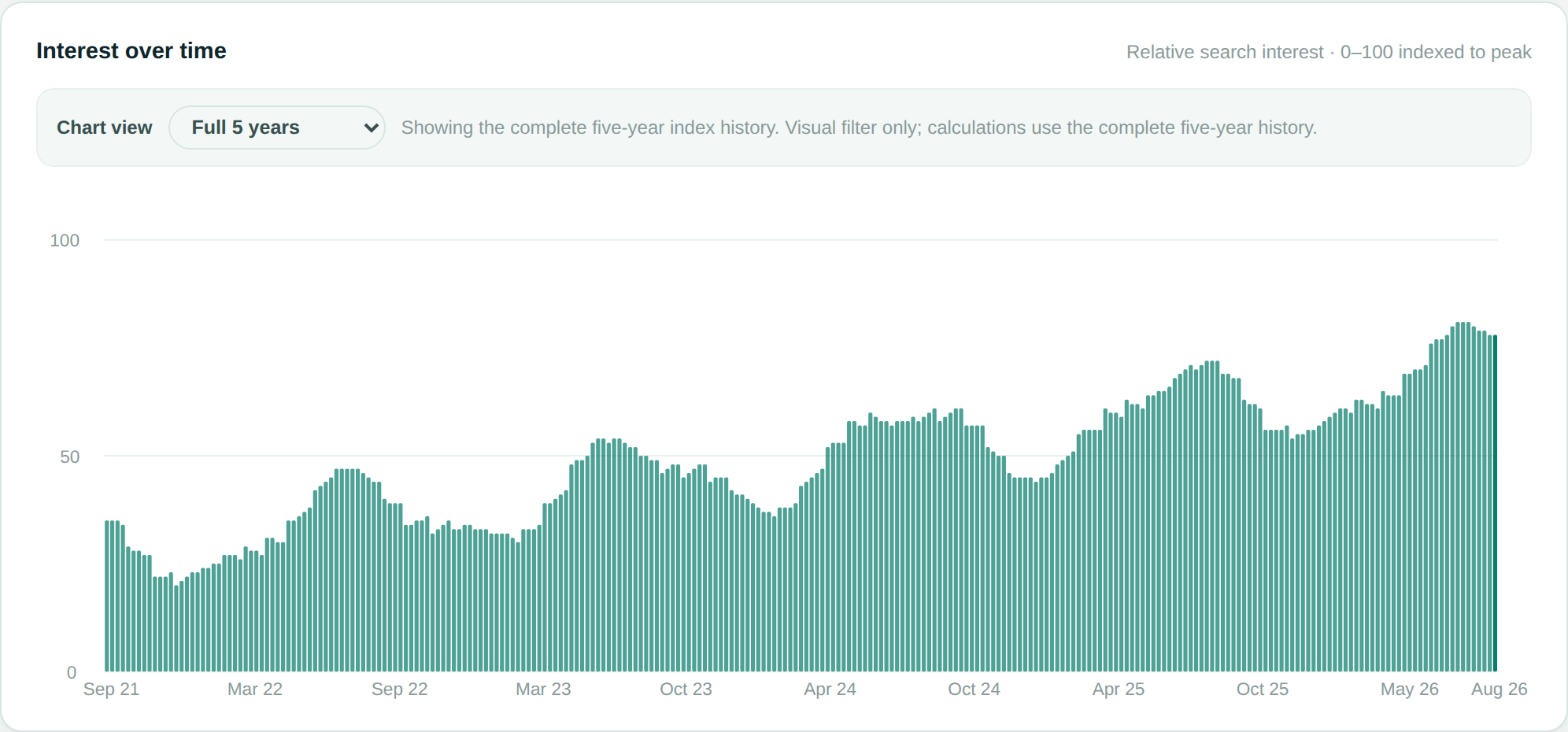
A 0-100 indexed chart of relative search interest, with the current trend direction called out in plain language.
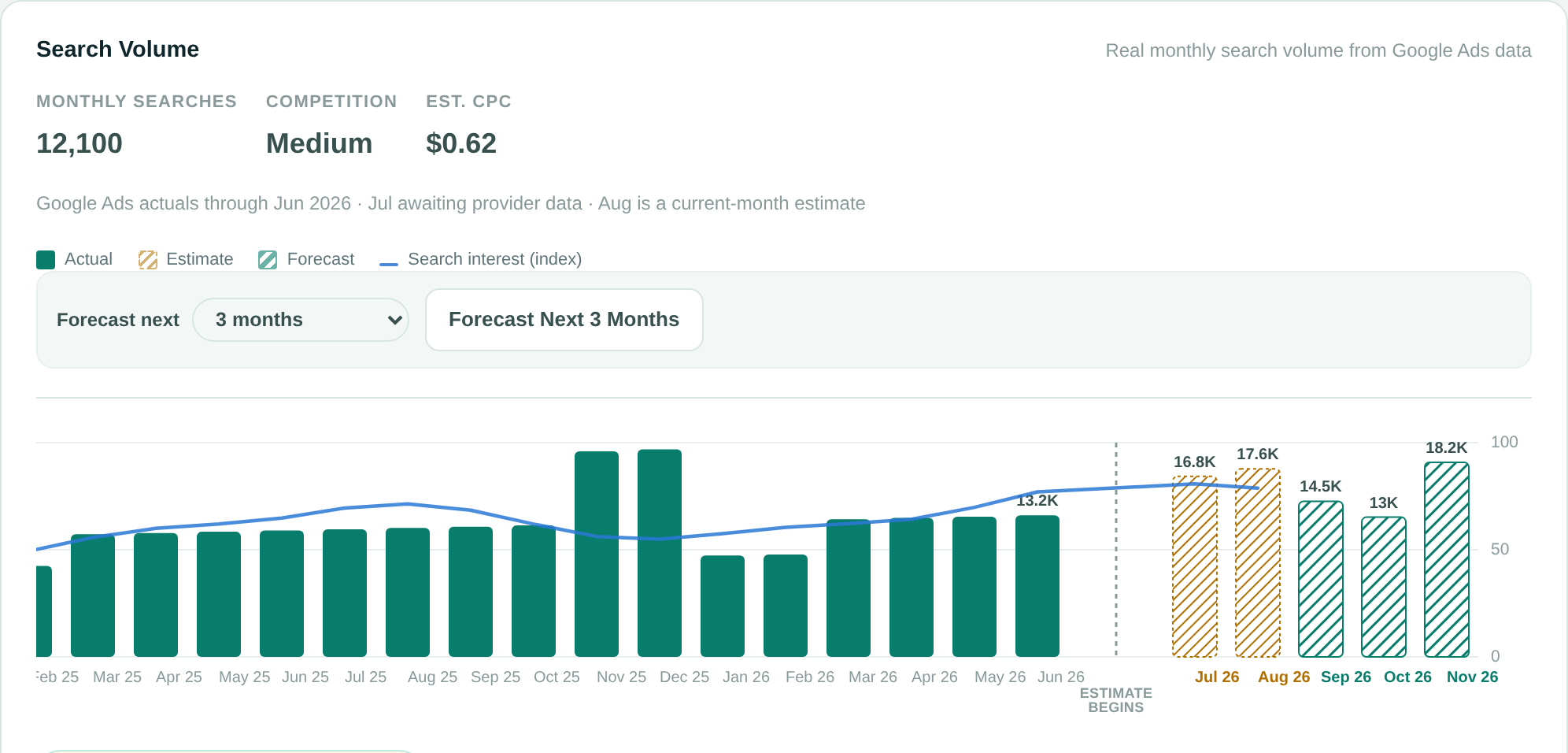
Real monthly search volume, competition, and CPC, plus an optional multi-month forecast built from that history's own seasonal pattern.

A clear verdict — rising, seasonal, falling, or matured — plus seasonal peak and trough dates when a pattern exists.
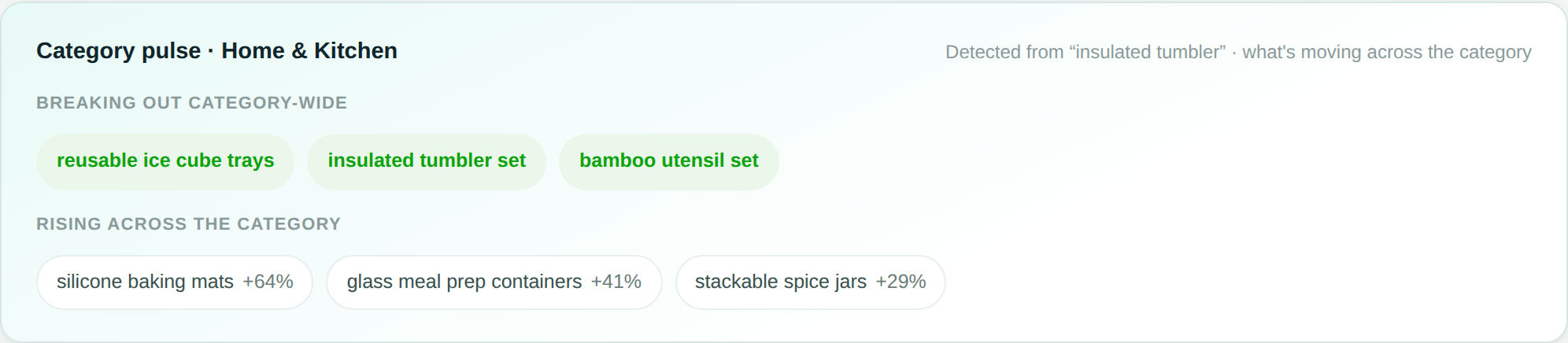
Rising and breakout terms in the surrounding category, next-gen alternatives, a sub-category breakdown, and a calculated demand summary, generated automatically with each report.
Found a product idea worth pursuing? ListingMind's Market Opportunity Explorer picks up from here — comparing marketplaces and categories, then estimating fees, supplier costs, and profit.
FAQ
Search any product or keyword, or start from a category, and Trend Explorer analyzes five years of search-interest history, a lifecycle signal, a calculated Demand Summary, next-gen alternatives, a sub-category breakdown, and AI-suggested search angles to explore next, powered by Google Trends.
Each report classifies demand as rising, seasonal, falling, or matured based on the interest-over-time trend, so you can tell whether a product is gaining traction, cyclical, cooling off, or an established mainstream category.
Generating a report uses a small number of credits. Next-gen alternatives, the sub-category breakdown, AI-suggested search angles, and the calculated Demand Summary are included at no extra cost, and reopening a saved report never re-runs or re-charges anything.
No. Trend Explorer uses Google Trends data as its source, but adds e-commerce-specific signals on top of it — lifecycle classification, a calculated Demand Summary, a trend projection, category pulse, next-gen alternatives, and AI-suggested search angles — that raw Google Trends doesn't provide.